Finished the game I was making with wareware, thanks again for making this software! It really helped bring my story to life and I probably could have not made it a platformer without this
Wareware opens so many possibilities storytelling-wise and has a lot of features, but it’s very easy to use and not overwhelming at all! It’s also really unique/charming just UI/design-wise and has a lot of personality which makes it even more fun!
Using wareware feels like playing around & that helps with creativity a lot. Really kind of you to make it open/free to use for everyone too, this must’ve taken a lot of work to make
I think the only (very) minor bugs(?) I’ve noticed are that there seems to be a glitch with the “show image” function, where a thin transparent bar shows & it’s impossible to insert an image & that the walking noise is impossible to turn off/change.
Of course, thank you for making something so lovely and sharing it(˵◝ ⩊ ◜˵マ Beyond happy to hear that you not only played it you also enjoyed it, thanks for helping me make it & please also keep making cool stuff ^___^
sorry it’s been so quiet here x_x
i really wanna keep working on wareware but with lots of life stuff and work happening the past months it has not really been possible :<
but just wanna say that i’m still around and hopefully there will be some more news about the future of wareware soon
Custom engines like these are so insane in the best way possible. Are there any plans to add our own custom code with JS or other language to the game?
no concrete plans yet. u can already do a bunch of stuff with custom CSS. inserting JS code would be possible tho! we’re planning to open source the code so making wareware hacks would be easier then :3
is there any chance that an alternate camera for editing is in the works?
I keep finding myself having to finagle it into a specific position to place stuff, and then after that need to often save and reload because the finagled position only works for that exact specific thing i finagled it for.
(For those wondering how to make a Sprite be a Temporary Wall, simply Add a Message, but I'm sure most people know this by now.
For a Permanent Wall, I'd guess from playing all WW Games so far but 1 [Nancy Goo just won't Load!], unless people have made new ones on their itch.io Profile that IDK about [which is very possible!]: they seem to be Invisible Tiles that are on the Same Level as your Avatar [only way I know of, since that'll stop you from falling off Ledges and into Holes].
Also, Reload WW Editor WebPage to Make a New Game, as the 'New Game' Button Makes a BUG'd Room [1 small block to stand on]! I find it much like Minecraft and Luanti that WW defaults to a Room where you're FORCED to build onto the existing Block Tiles rather than be able to Draw where you want, same as you MUST Copy/Dupe Room 0 and use Invisible Sprites for Exits in order to Make "New" Rooms.)
The MAIN THING this Game Engine needs really badly is the ability to ERASE SPRITES From Rooms!
It's so annoying placing a Sprite by Mistake, only to realize that the only way to "Delete" it from a Room is to Copy a Sprite and make it Invisible, but even then (eg. if you need to see those Sprites, you can Fill with a Solid Color), you can quickly make Multiples of said Sprite in a Room that way, so you're not actually getting rid of Sprites.
Please add a way to Erase Sprites from Rooms so that this cute editor will have the Much-Needed function it's been lacking! Thank you!
One more thing if you can: a Rotate Map (Room) feature would be amazing (having to Zoom on a Certain Part of a Room just to "Move" the Room to where you want it is frustrating!).
Oh, and maybe a way to Place Tiles fast WITHOUT that Glitch (you know the one, where if you keep holding down, the Tiles Automatically Pile-Up on each other!).
Thanks for all this feedback! It means a lot! Some I still have to understand and maybe spiders or krisekrise will reply too since they are more deep in the code-side of WW (love the shorthandle haha)
Are you on PC with a 3-Button-Mouse? If not, this might be the reason, but otherwise try to use the Middle-Mouse-Button! By holding it you should be able to rotate in the current room and when holding Shift and the MIddle-Mouse-Button you should be able to move in the current room without the need to zoom! Hope I understood your problem and this might help you.
Additionally you have a select button in the middle/top UI with which you can select sprites. On the right, the sprite-edit window should appear and there is a delete button.
A different and hacky approach that might be useful in other cases is to select the sprite on the left and replace it with an invisible one. This way you can replace certain sprites with one click in every room (very handy for exits)
And you should give Nancy Goo another try! It just takes reaaaaaally long to load :]
Cosmo (maker of WT [Whimtale]) has made such an amazing engine (combines Bitsy elements with Twine [Blocks]), and he's been really responsive and helpful!
And the five of you here seem to have just as helpful a forum/community! It's so good to see, especially since itch.io is an incredible website for developers and indie game-makers.
Sorry, forgot to say that I currently use a Chromebook, but thanks to your suggestion, I'll definitely look for a KB Shortcut for a Middle Mouse Button!
And you're right on the money with that awesome tip for how to Delete a Sprite in a Room; it's probably the Most Overlooked feature in WW and I definitely should have noticed it sooner, THANK YOU!!!
As for Nancy Goo, I reached-out to the creator (no reply yet) and I figure there's nothing more that can be done, as I've Waited literally Five+ Minutes, but it never gets that far, as it tends to CRASH and I'm Forced to Reload the WebPage.
Thanks so much for the help!
UPDATE: Just tried Pressing (Click-Hold [NOT Tap-Hold!]) 3 Fingers on TrackPad and then Scroll Around, which WORKS to Rotate the WW Map/Room, in case other CB Users need to know this! Thanks again for your help, as you've answered all my questions!
Hi, pretty neat little thing you got here here but I have a quick question,
is the inability for me to get three frame animations (specifically one frame getting flipped) just a limitation or quirk of how this whole thing works / slices animations or is that just an evil curse placed upon me by a witch?
hi! thank you! atm you can use the css options just to tinker with the background, but it's little bit janky right now. there are many people in our discord who are already completely taking the engine apart! 👀
hi! thank you for the feedback! i'll try to answer your questions:
- yes! we created changes in rooms with the "cut to room" action. it's the same as the teleport action, but less jarring because the player character stays on the spot!
- we did the demo levels with an old version of wareware in which we still had a distinction between "details" and "sprites". details behaved like blocks and weren't interactable. we removed details from wareware because they added a bit too much complexity for our taste, but a checkbox for sprites that make them block your movement would be perhaps a good idea!
- the player sprite can be changed with the "change chara" action when you interact with sprites!
- yes, we used invisible sprites for exits. you could also hide them in walls. (but we're thinking about a more elegant way to switch scenes)
- the alt room text is shown when you use a screen reader!
Some quick feedback from pocking around. First, this is a really cool tool and I can tell a lot of folks will find it quiet powerful. Second, I think this engine could be improved by adding keyboard controls for moving the camera and controlling where blocks are placed. I don't have a traditional mouse, so a lot of the block placing and camera controls were awkward to use.
This is crazy cool! A natural evolution of Bitsy with its own distinct personality and functions is great. I especially love the hats feature. A few questions:
Is there a way to change the player sprite?
Do you plan on adding different viewpoints like first person or maybe like a fixed Resident Evil type camera?
- Hidden in the save and export menu is a list of starting actions. You can add a "Change Chara" action there. You need a sprite graphic for walking and one for idle (or you use the same one for both, it works suprisingly often)
- a way to change the camera to first person is actually on our ToDo List, but I also realy like the idea of a Residen Evil camera :D
- please tell us more about boots 🐭 we need to know!
I love it! Looking forward to making games with it!
(Also, accidently made blocks too far and could not delete and it was hard to target the blocks for deletion if it was double layer but it's a demo so it's fine.)
yes there will be! we’re still figuring out the details but it will be on steam and also here on itch :3
the plan is to also be able to export standalone games withe that version!💜
It's so cute! I tried it and it was so easy and intuitive!! The default assets are adorable. Only, I couldn't figure out how to rotate the ramps, if that's even possible x')
I'd also like to ask if the built in sprite drawing and animating tool was implemented yet? I was trying to find it, but couldn't ;-; this might be a me problem, I'm not the brightest.
Oh, and the tiles somehow look a loooot duller than they should be :< I figured it had something to do with the room's color? Maybe this bounce light effect should be a bit less pronounced? Or at least controllable...
I don't know if suggestions are welcome or not, but if the are, then I have just a few basic ones:
It would be nice to be able to delete and reorganize your sprites and tiles :3 folders for them would be really cool too.
Being able to interact with the little characters, just as simply as in visual novels, would be so cool too...
I don't think it's possible to resize the characters in the room? (or at least I couldn't figure how to), but being able to do it would be epic! To make mother ghost and her smaller child for example... :3
Overall I love it! I've been playing around with it for hours and I'm still not bored. It's in prerelease but I could see a lot of cool little features being implemented in the future :0 Definitely will support it when I get the means to!!!
First of all, thank you for your kind words! It's awesome that you had so much fun with it <33
Now, to your questions:
- You can rotate with the R key, but we're still working on the UI. There should be a clickable option in the future!
- Built-in drawing is not yet implemented, so there was no way you could have found it. Sorry for the confusion! We should make it clearer that this is a feature we're still working on.
- Thanks for your suggestions! They are very welcome, and I personally like each one!
- Deletion and reorganization will be available in the future (I am struggling with this one too haha)
- What do you mean by interacting as in a visual-novel? Currently, you can give sprite actions, and with that dialogues (and more)! We already have a Git branch for multiple-choice answers that has yet to be released tho. I would love to hear more about what you have in mind!
- Different sizes are not planned yet, but I will bring this up at the next meeting (right now, we are all a little drained but happy from gamescom). My solution to a similar problem was to draw different sprites, but I'm guessing you had something different in mind!
Thanks again for your reply! Everyone on the team had a big smile on their lips when reading it :)))
You guys have so many exciting featured planned. I'm already hooked on wareware, so if it keeps getting better I might end up addicted ^_^"
About the last two suggestions you mentioned, let me clarify a bit! English isn't my first language so I might have worded things a little confusingly... :'3
What I meant was mostly multiple choice answers! I had no idea you were already working on something similar :0 But I was also thinking about choices that lead to different outcomes depending on the answer? As in events! That's what I had in mind when I mentioned visual novels...
As for the resizing idea, it's not really a problem, but more of a fun feature I thought could be interesting :3 More specifically, I meant being able to rescale the sprites directly in the room. It might be tricky to implement though? ;-; I'm no programmer, so I don't really know how challenging things could get!
hey, one of the wareware devs here! just quickly replying with my personal itch :3
also wanted to say thank u sooo much for your kind feedback ^3^♪
very happy to hear all of it!
yes, multiple choice is something we are talking about how we could implement it. setting variables based on that or having multiple path would be really cool and something i’d love to see, but also needs to be not too complicated to use haha
we’ll try to do more update posts in the coming weeks so stay tuned, def will also talk about resizing and your other suggestions💜💜💜
← Return to tool
Comments
Log in with itch.io to leave a comment.
so cute
Finished the game I was making with wareware, thanks again for making this software! It really helped bring my story to life and I probably could have not made it a platformer without this
Thank you, this such a lovely tool 🫀🫀🫀ฅ(๑ↀᆺↀ๑) ฅ
Wareware opens so many possibilities storytelling-wise and has a lot of features, but it’s very easy to use and not overwhelming at all! It’s also really unique/charming just UI/design-wise and has a lot of personality which makes it even more fun!
Using wareware feels like playing around & that helps with creativity a lot. Really kind of you to make it open/free to use for everyone too, this must’ve taken a lot of work to make
I think the only (very) minor bugs(?) I’ve noticed are that there seems to be a glitch with the “show image” function, where a thin transparent bar shows & it’s impossible to insert an image & that the walking noise is impossible to turn off/change.
thank you so much for your really sweet words and also the feedback (˶ᵔ ᵕ ᵔ˶) ‹𝟹 i just played your game as well🫀💖 pls keep making more cool stuff :33
Of course, thank you for making something so lovely and sharing it(˵◝ ⩊ ◜˵マ Beyond happy to hear that you not only played it you also enjoyed it, thanks for helping me make it & please also keep making cool stuff ^___^
Whens the next update?
sorry it’s been so quiet here x_x i really wanna keep working on wareware but with lots of life stuff and work happening the past months it has not really been possible :< but just wanna say that i’m still around and hopefully there will be some more news about the future of wareware soon
Ok thx for letting me know!
Cute tool! I've messed with it a tiny bit a few months ago, but kinda want to see what others will make out of this too. Best of luck~
класс игра! очень хороша!
is it possible yet to change or edit the walking noise?
Love the concept of this engine. Wish it had some kind conditional logic capabilities. Makes it hard to create an objective or idea of progression.
Will be keeping an eye on this project!
life is roadblocks
how do i add music/ sounds
in the top bar click on “assets”, there you can upload sound files and then play them when interating with a sprite
THANKS!!!
Custom engines like these are so insane in the best way possible. Are there any plans to add our own custom code with JS or other language to the game?
no concrete plans yet. u can already do a bunch of stuff with custom CSS. inserting JS code would be possible tho! we’re planning to open source the code so making wareware hacks would be easier then :3
wait I just realized you're the one who made wareware wow we're in such a small world :o
hihi ⸜(。˃ ᵕ ˂ )⸝♡
I love this!! Any chance of First Person camera for Dungeon crawlers?
I second this idea
yeah its my dream feature to add as well :3 will do it one day
I'm watching this so, so closely. It's already fun - can't wait to see how this engine evolves! (。♡‿♡。)
i can't wait for this to release! its so cute and so much fun!
So cool!! ╹▽╹
please let me download the demo, it runs at 6fps on test mode in my browser
so nice! love it
is there any chance that an alternate camera for editing is in the works?
I keep finding myself having to finagle it into a specific position to place stuff, and then after that need to often save and reload because the finagled position only works for that exact specific thing i finagled it for.
I was wondering the same thing!
What a lovely 3D engine (reminds me of Bitsy 3D and Bitsy Color 3D, but with more stuff!).
I just found this editor today, thanks to Khi-R!
Looking forward to making stuff in this. :)
hey, thanks for the kind words :) looking forward to your games!
(For those wondering how to make a Sprite be a Temporary Wall, simply Add a Message, but I'm sure most people know this by now.
For a Permanent Wall, I'd guess from playing all WW Games so far but 1 [Nancy Goo just won't Load!], unless people have made new ones on their itch.io Profile that IDK about [which is very possible!]: they seem to be Invisible Tiles that are on the Same Level as your Avatar [only way I know of, since that'll stop you from falling off Ledges and into Holes].
Also, Reload WW Editor WebPage to Make a New Game, as the 'New Game' Button Makes a BUG'd Room [1 small block to stand on]! I find it much like Minecraft and Luanti that WW defaults to a Room where you're FORCED to build onto the existing Block Tiles rather than be able to Draw where you want, same as you MUST Copy/Dupe Room 0 and use Invisible Sprites for Exits in order to Make "New" Rooms.)
The MAIN THING this Game Engine needs really badly is the ability to ERASE SPRITES From Rooms!
It's so annoying placing a Sprite by Mistake, only to realize that the only way to "Delete" it from a Room is to Copy a Sprite and make it Invisible, but even then (eg. if you need to see those Sprites, you can Fill with a Solid Color), you can quickly make Multiples of said Sprite in a Room that way, so you're not actually getting rid of Sprites.
Please add a way to Erase Sprites from Rooms so that this cute editor will have the Much-Needed function it's been lacking! Thank you!
One more thing if you can: a Rotate Map (Room) feature would be amazing (having to Zoom on a Certain Part of a Room just to "Move" the Room to where you want it is frustrating!).
Oh, and maybe a way to Place Tiles fast WITHOUT that Glitch (you know the one, where if you keep holding down, the Tiles Automatically Pile-Up on each other!).
Keep up the good work! :D
Thanks for all this feedback! It means a lot!
Some I still have to understand and maybe spiders or krisekrise will reply too since they are more deep in the code-side of WW (love the shorthandle haha)
Are you on PC with a 3-Button-Mouse?
If not, this might be the reason, but otherwise try to use the Middle-Mouse-Button! By holding it you should be able to rotate in the current room and when holding Shift and the MIddle-Mouse-Button you should be able to move in the current room without the need to zoom! Hope I understood your problem and this might help you.
Additionally you have a select button in the middle/top UI with which you can select sprites. On the right, the sprite-edit window should appear and there is a delete button.
A different and hacky approach that might be useful in other cases is to select the sprite on the left and replace it with an invisible one. This way you can replace certain sprites with one click in every room (very handy for exits)
And you should give Nancy Goo another try! It just takes reaaaaaally long to load :]
/chris
Cosmo (maker of WT [Whimtale]) has made such an amazing engine (combines Bitsy elements with Twine [Blocks]), and he's been really responsive and helpful!
And the five of you here seem to have just as helpful a forum/community! It's so good to see, especially since itch.io is an incredible website for developers and indie game-makers.
Sorry, forgot to say that I currently use a Chromebook, but thanks to your suggestion, I'll definitely look for a KB Shortcut for a Middle Mouse Button!
And you're right on the money with that awesome tip for how to Delete a Sprite in a Room; it's probably the Most Overlooked feature in WW and I definitely should have noticed it sooner, THANK YOU!!!
As for Nancy Goo, I reached-out to the creator (no reply yet) and I figure there's nothing more that can be done, as I've Waited literally Five+ Minutes, but it never gets that far, as it tends to CRASH and I'm Forced to Reload the WebPage.
Thanks so much for the help!
UPDATE: Just tried Pressing (Click-Hold [NOT Tap-Hold!]) 3 Fingers on TrackPad and then Scroll Around, which WORKS to Rotate the WW Map/Room, in case other CB Users need to know this! Thanks again for your help, as you've answered all my questions!
Hi, pretty neat little thing you got here here but I have a quick question,
is the inability for me to get three frame animations (specifically one frame getting flipped) just a limitation or quirk of how this whole thing works / slices animations or is that just an evil curse placed upon me by a witch?
hey, yes this is a weird known bug we are investigating :)
Will there be flat tiles/planes? Preferably double-sided/multi-texture planes
not planned for now, but we have thought about having block face textures individually editable per face.
thank u for the suggestion though! i will add it to our list of things to possibly add in the future💜
How to use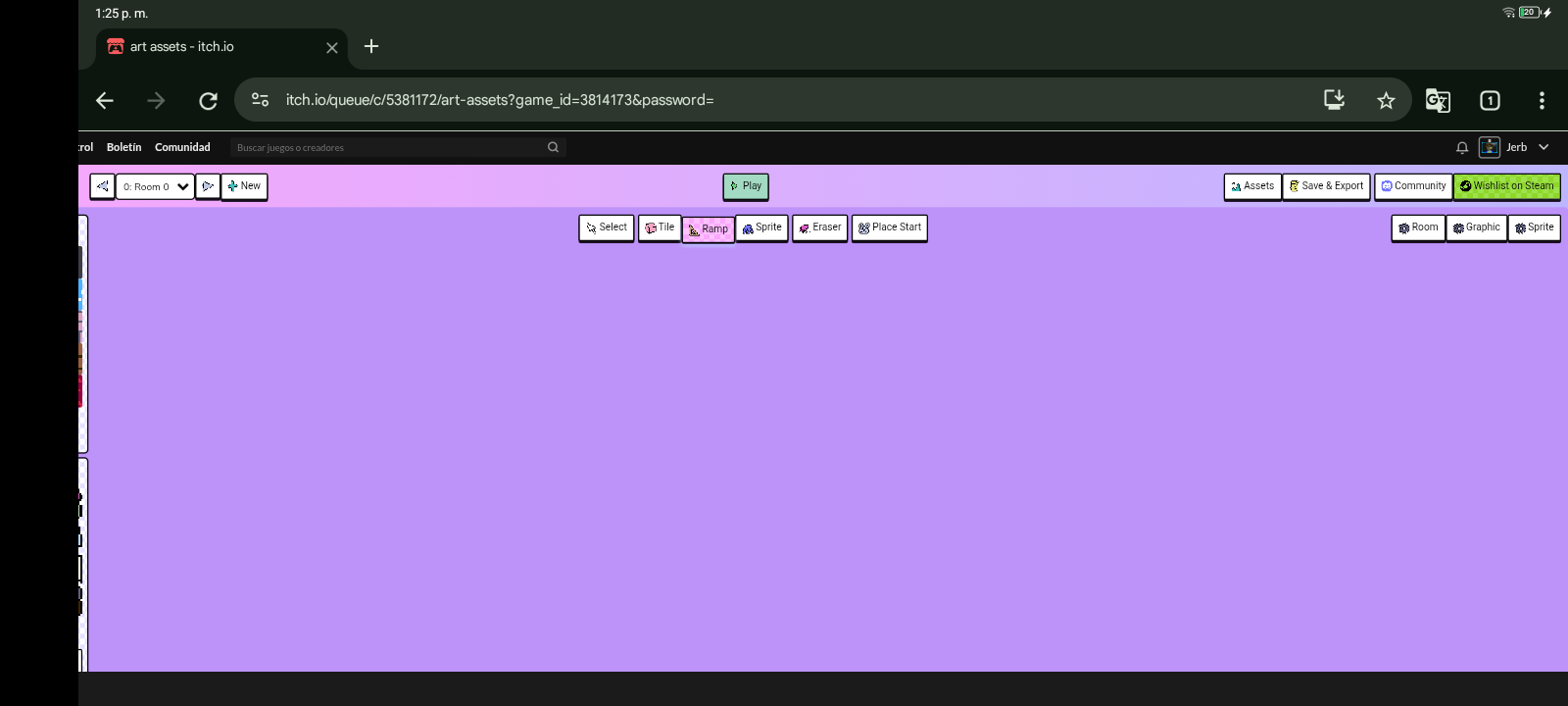
hey jorge817! sorry for the late reply! that looks like a bug, some of the ui is cut off on the left and bottom side. what browser and os are u using?
you could also try using wareware on https://make.wareware.rip/
maybe it is a problem with the embedded itch version? :S
This is super neat! What does the custom CSS option do? I'm quite curious how I can use and abuse everything this engine has to offer
hi! thank you! atm you can use the css options just to tinker with the background, but it's little bit janky right now. there are many people in our discord who are already completely taking the engine apart! 👀
Hello, this is looking wonderful already!
I have questions bout how you did some things in the demo games...
Thanks for a lovely tool!
hi! thank you for the feedback!
i'll try to answer your questions:
- yes! we created changes in rooms with the "cut to room" action. it's the same as the teleport action, but less jarring because the player character stays on the spot!
- we did the demo levels with an old version of wareware in which we still had a distinction between "details" and "sprites". details behaved like blocks and weren't interactable. we removed details from wareware because they added a bit too much complexity for our taste, but a checkbox for sprites that make them block your movement would be perhaps a good idea!
- the player sprite can be changed with the "change chara" action when you interact with sprites!
- yes, we used invisible sprites for exits. you could also hide them in walls. (but we're thinking about a more elegant way to switch scenes)
- the alt room text is shown when you use a screen reader!
can't wait to see what you create with wareware!
Looks nice
hi everyone! thank u for all the comments and feedback!! we've just compiled a short FAQ. but feel free to ask us anything else you want to know! 👻
Some quick feedback from pocking around. First, this is a really cool tool and I can tell a lot of folks will find it quiet powerful. Second, I think this engine could be improved by adding keyboard controls for moving the camera and controlling where blocks are placed. I don't have a traditional mouse, so a lot of the block placing and camera controls were awkward to use.
thank u so much for the feedback! we added it to our todo list🛠️💜
This is crazy cool! A natural evolution of Bitsy with its own distinct personality and functions is great. I especially love the hats feature. A few questions:
Is there a way to change the player sprite?
Do you plan on adding different viewpoints like first person or maybe like a fixed Resident Evil type camera?
Can you add boots?
Best of luck with this tool and thank you!
Hey, thanks for the kind words :)
- Hidden in the save and export menu is a list of starting actions. You can add a "Change Chara" action there. You need a sprite graphic for walking and one for idle (or you use the same one for both, it works suprisingly often)
- a way to change the camera to first person is actually on our ToDo List, but I also realy like the idea of a Residen Evil camera :D
- please tell us more about boots 🐭 we need to know!
booootttts!!!🥾💜💜💜💜💜
but fr a resident evil or even silent hill style camera would be really cool :o
- spiders
I was thinking it would work the same as hats but be half as tall and go on the bottom instead
love that idea
Ich liebe waurewaure!
I love it! Looking forward to making games with it!
(Also, accidently made blocks too far and could not delete and it was hard to target the blocks for deletion if it was double layer but it's a demo so it's fine.)
I love wareware!! Will definitely go ham with it soon L:
Alright, I am VERY interested in this! One question, will their be an offline (ie downloadable) version, or will it be browser only?
yes there will be! we’re still figuring out the details but it will be on steam and also here on itch :3 the plan is to also be able to export standalone games withe that version!💜
I LOVE this. It is SO simple to use and I really appreciate the easy layout. I can't wait to see what extra features are added!!!! Well done!!!
woah!! your sprites and tiles looks so nice, love the colors :3
thank u! 😊 we wanna have a downloadable build soonish, but have not started working on that yet!
That looks really cool
It's so cute! I tried it and it was so easy and intuitive!! The default assets are adorable. Only, I couldn't figure out how to rotate the ramps, if that's even possible x')
I'd also like to ask if the built in sprite drawing and animating tool was implemented yet? I was trying to find it, but couldn't ;-; this might be a me problem, I'm not the brightest.
Oh, and the tiles somehow look a loooot duller than they should be :< I figured it had something to do with the room's color? Maybe this bounce light effect should be a bit less pronounced? Or at least controllable...
I don't know if suggestions are welcome or not, but if the are, then I have just a few basic ones:
Overall I love it! I've been playing around with it for hours and I'm still not bored. It's in prerelease but I could see a lot of cool little features being implemented in the future :0 Definitely will support it when I get the means to!!!
First of all, thank you for your kind words! It's awesome that you had so much fun with it <33
Now, to your questions:
- You can rotate with the R key, but we're still working on the UI. There should be a clickable option in the future!
- Built-in drawing is not yet implemented, so there was no way you could have found it. Sorry for the confusion! We should make it clearer that this is a feature we're still working on.
- Thanks for your suggestions! They are very welcome, and I personally like each one!
- Deletion and reorganization will be available in the future (I am struggling with this one too haha)
- What do you mean by interacting as in a visual-novel? Currently, you can give sprite actions, and with that dialogues (and more)! We already have a Git branch for multiple-choice answers that has yet to be released tho. I would love to hear more about what you have in mind!
- Different sizes are not planned yet, but I will bring this up at the next meeting (right now, we are all a little drained but happy from gamescom). My solution to a similar problem was to draw different sprites, but I'm guessing you had something different in mind!
Thanks again for your reply! Everyone on the team had a big smile on their lips when reading it :)))
Omg, thank you so much for the quick reply! :D
You guys have so many exciting featured planned. I'm already hooked on wareware, so if it keeps getting better I might end up addicted ^_^"
About the last two suggestions you mentioned, let me clarify a bit! English isn't my first language so I might have worded things a little confusingly... :'3
What I meant was mostly multiple choice answers! I had no idea you were already working on something similar :0 But I was also thinking about choices that lead to different outcomes depending on the answer? As in events! That's what I had in mind when I mentioned visual novels...
As for the resizing idea, it's not really a problem, but more of a fun feature I thought could be interesting :3 More specifically, I meant being able to rescale the sprites directly in the room. It might be tricky to implement though? ;-; I'm no programmer, so I don't really know how challenging things could get!
hey, one of the wareware devs here! just quickly replying with my personal itch :3
also wanted to say thank u sooo much for your kind feedback ^3^♪ very happy to hear all of it!
yes, multiple choice is something we are talking about how we could implement it. setting variables based on that or having multiple path would be really cool and something i’d love to see, but also needs to be not too complicated to use haha
we’ll try to do more update posts in the coming weeks so stay tuned, def will also talk about resizing and your other suggestions💜💜💜
╰(*°▽°*)╯Alrightt!! Can't wait to see how it all evolves! <3
omg so cute!
thxx
This seems really neat!
thank you! :3